What "multi-account" actually has to mean
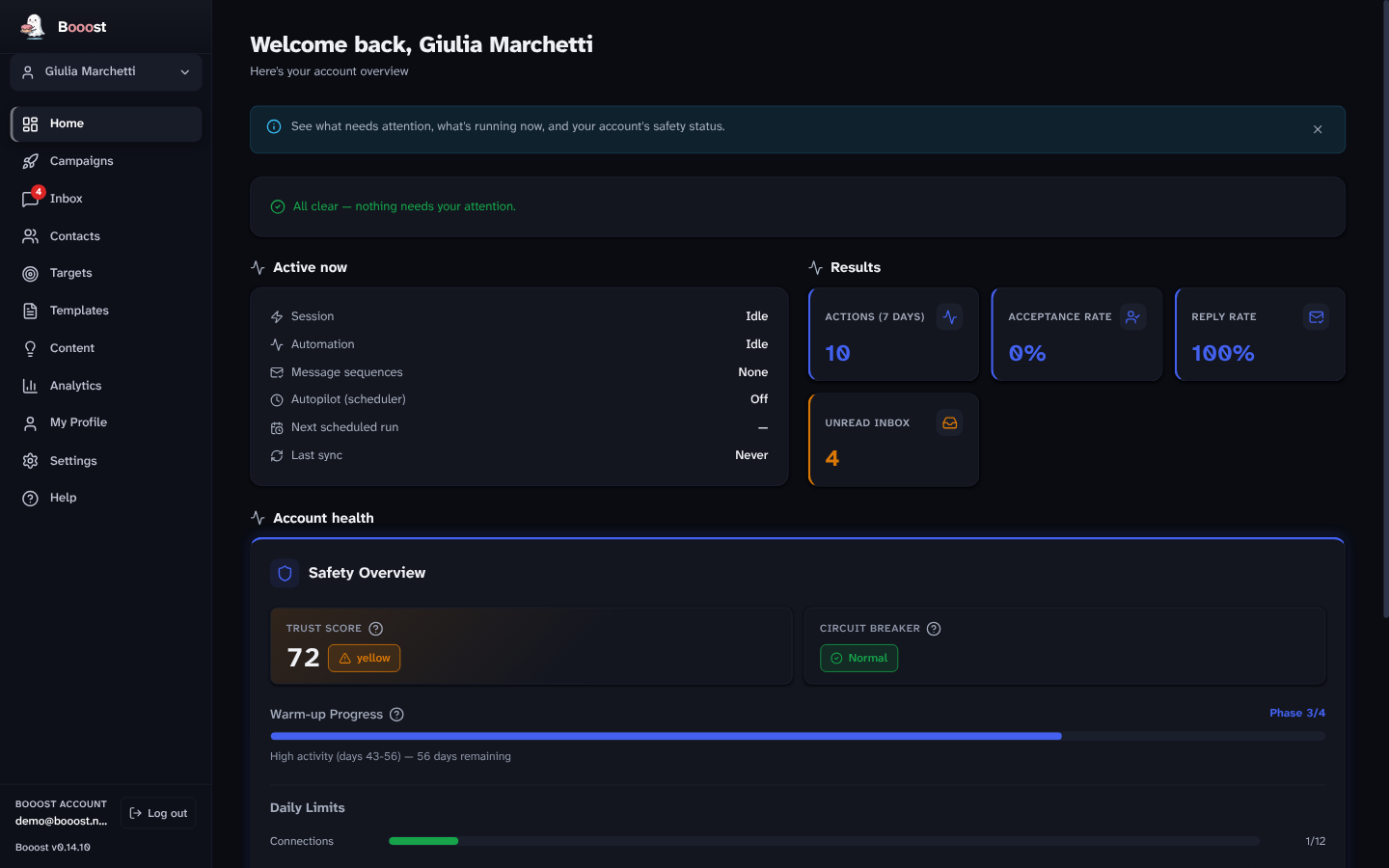
Most tools mean one dashboard with a dropdown. That is the easy half. The half that matters is that nothing is shared between accounts — because if the safety budget were pooled, one aggressive client account would spend the allowance of a careful one, and you would find out from LinkedIn.
So in Booost each managed account carries, separately:
- its own daily ceilings and how much of them today has used;
- its own warm-up phase, on calendar days from when that account was connected;
- its own trust score, computed from that account's measured signals;
- its own circuit breaker state;
- its own campaigns, contacts, conversations and analytics;
- its own X channel, when one is connected — with X's own safety engine, not LinkedIn's copied over.
Switching account switches the whole application. There is no view where two clients' numbers are added together, because there is no question to which that sum is the answer.
The agency case
This is what the model is built for.
- Client accounts stay separate, including in reporting: analytics are per account, which is the only form you can put in front of the client whose account it is.
- Colleagues cost nothing. The price counts accounts under management (LinkedIn and X), not people — several people can use the same desktop installation.
- Deactivating a client lowers the subscription quantity on the next invoice, prorated, and moves you back up a volume band if you shrink.
What it costs, briefly
Per managed account (LinkedIn and X included), per month, falling from the fifth:
| Accounts | Pro | Basic |
|---|---|---|
| 1–4 | €99 | €79 |
| 5–9 | €79 | €63 |
| 10–24 | €59 | €47 |
| 25–49 | €45 | €36 |
| 50+ | €39 | €31 |
The band you reach applies to every account, not just the ones past the threshold. No seat minimum, no annual contract to unlock the discount. The full table, yearly prices and the founding rule are on the pricing page.
Company Pages
Accounts and Pages are different things, and Booost handles both: publishing, commenting and following can run as the Page rather than as the person, using a parameter on the same call rather than a puppet-show on the interface.
⚠️ The known gap, stated plainly: two admins of the same Page running the same workflow each act under their own account, and the Page has no shared memory of it — so the same post or comment can go out twice. Tracked as #278, and worth knowing before you put two colleagues on one Page.
The limits of one machine
Booost is a desktop application, and that has consequences at scale you should hear from us:
- Everything runs on one computer. Twenty accounts means twenty browser sessions on your machine — it wants a real machine, not a two-year-old laptop with four gigabytes.
- If the computer is off, nothing runs. Scheduled work resumes when the app comes back; it does not catch up in the cloud, because there is no cloud.
- A reinstall on a clean machine loses local state — including the warm-up progress, which is the expensive part. That is what backup and restore exist for, and it is tracked as #219.
We would rather write those three lines than have you find them at twenty accounts.
Which editions have it
Basic and Pro manage unlimited accounts and Pages. Community is capped at one account and one Page — it is the free publishing edition, not a free agency tier. The editions in full.
Questions this page gets asked
Do colleagues need their own licence? No. The price counts accounts, not people.
Can two people work at the same time? On the same installation, one at a time — it is a desktop app, not a web workspace.
Is there a white-label mode? No.
Can I move an account to another machine? Yes, through backup and restore — that is exactly what keeps the warm-up progress.
Do the accounts share a contact database? No. Each account has its own contacts and its own radar, because the relationships are that account's, not the agency's.