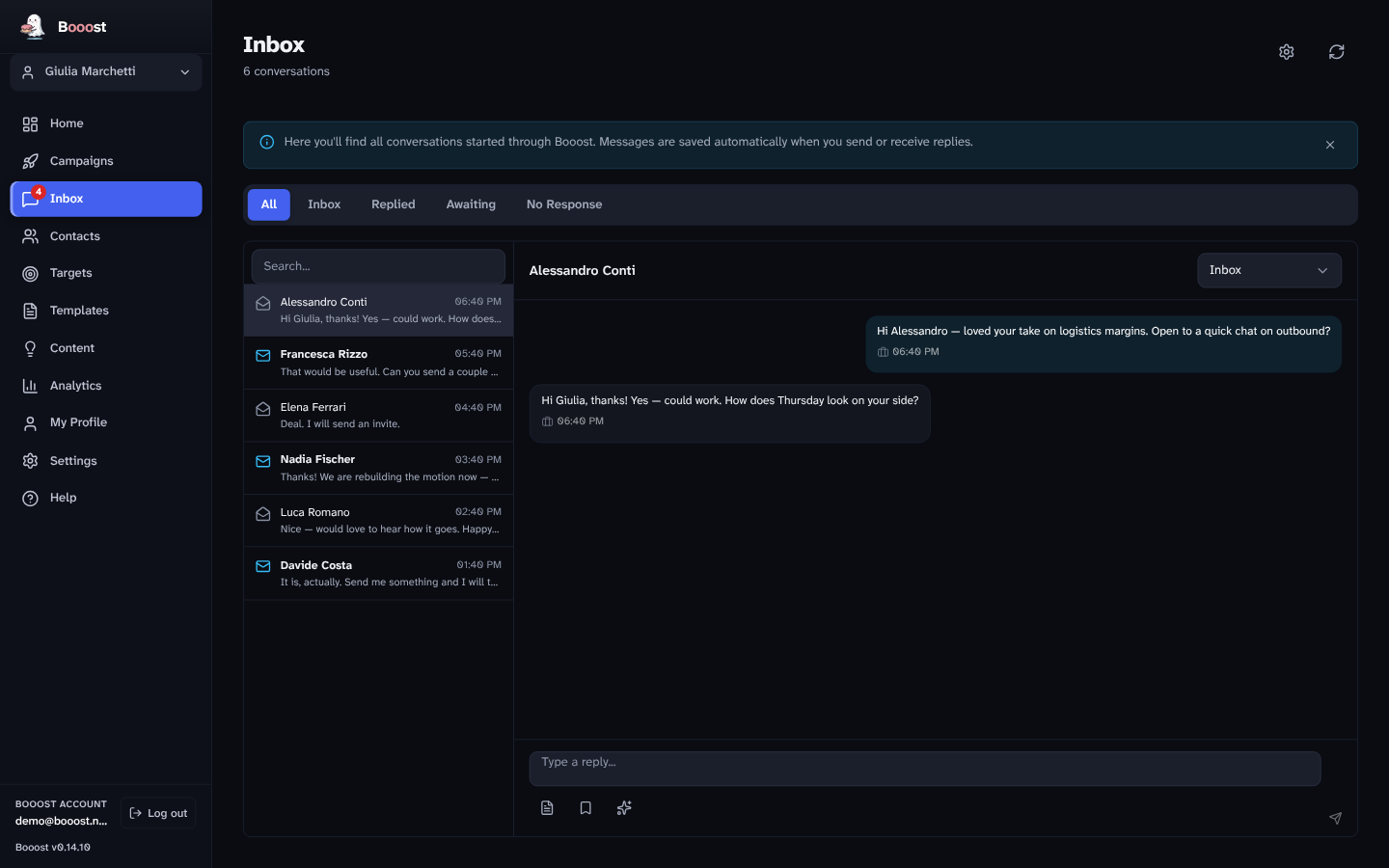
The problem it solves
Outreach works and then it drowns you. Three accounts running sequences produce a stream of replies where "not interested", "who are you?", "send me pricing" and an actual buying signal all look identical in LinkedIn's chronological list — and the one that mattered scrolls off the screen while you answer the one that didn't.
An inbox sorted by arrival optimises for the wrong thing. This one sorts by what the person wants.
Triage by intent
Every incoming message is classified. The categories come from the triage model, not from a keyword list:
| Intent | What it means |
|---|---|
| Hot | a buying signal — answer today |
| Warm | genuine engagement, not yet an ask |
| Interest | curiosity, a question about what you do |
| Reply | an answer that moves the thread but decides nothing |
| Cold | polite decline, or no real content |
| Spam | an inbound pitch at you |
Separately, each conversation carries a state — inbox, replied, awaiting, no response — so "waiting on them" and "waiting on me" are two different piles rather than one guilty feeling.
The four-hour target
Conversations whose last incoming message has gone unanswered past a 240-minute target are flagged as overdue. Not a notification you dismiss: a state on the conversation, visible in the list.
Four hours is not arbitrary and it is not a promise we make on your behalf — it is the default target, configurable per account. It exists because a reply that arrives the next morning is answering a different person than the one who wrote.
Replies are drafted, not sent
Booost writes the reply. You send it.
The draft is grounded in the same interview the rest of the app uses — your role, what you do, how you write — plus the thread above it. It arrives in the box, you edit it or throw it away, and the button is yours.
This is the same rule as everywhere else in the product: campaigns can be vetoed, the content pipeline waits for approval, and the inbox drafts. Nothing that carries your name goes out without a person looking at it.
Every account, one place
The inbox is per account: you see the conversations of the account you are on, and switching account switches the inbox. The Home screen shows the unread count of every managed account, so an agency knows where to look without the threads of ten clients blending into one pile.
Analytics stay per account for the same reason: it is the only form you can hand to a client.
What it does not do
- It does not auto-reply. There is no setting for it, deliberately.
- It does not read your inbox on our servers. Conversations sync into your local database and stay there — see security for what does leave.
- It does not cover email. LinkedIn conversations only.
- It does not sort by sentiment. Intent is what decides your next hour; whether someone was friendly about it is not.
Which editions have it
Basic and Pro. The inbox, the triage, the SLA and the drafting are in both — this is not the AI-tier boundary. On Basic the drafting runs on your own AI key; on Pro on ours. Community publishes only and has no inbox.
Questions this page gets asked
Can I change the four-hour target? Yes, per account.
What if the triage gets it wrong? You can recategorise a conversation, and the state you set wins.
Does it work while the app is closed? No. Booost runs on your machine; syncing resumes when it does.
Does the reply respect the anti-ban limits? Yes — messages count against the daily ceiling like anything else. See the safety system.